

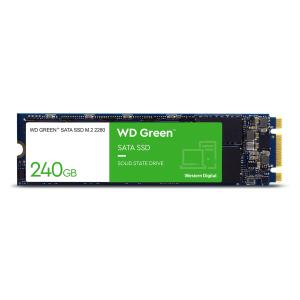
| Part Number: | WDS240G3G0B-00BJF0 |
| Language: | NS |
Accelerate everyday tasks with an M.2 SATA SSD
PCs and laptops get a noticeable lift from WD Green SATA SSDs – built to enhance day-to-day tasks and improve system response.
Apps Launch Fast
Applications you use every day launch quickly when you use an m.2 WD Green SATA SSD – giving you the boost to work faster and more efficiently.
Dependable Solid State Technology
WD Green SSDs help keep your data safe – solid state technology requires no moving internal parts.
Low Power is Good.
WD Green SSDs draw low amounts of power from your system - and that’s a good thing for the battery life in laptop and mobile devices.
Revive Your PC
Adding a WD Green M.2 SATA SSD to your laptop or desktop PC can boost your startup times and accelerate your applications.
Online Resources
Download the free WD SSD Dashboard to keep up-to-date with your drive’s health, or download and install Acronis® True Image™ WD Edition to safely clone your old drive to a new WD SSD.



















Every effort has been made to ensure the accuracy of all information contained herein. e-nitiative shall not be liable for any changes resulting in wrong product description, tax code and/or price. The shown information (specifications, prices, taxes) should be considered as an indication and can be changed at any moment and without any prior notice.
Design and development by